
 PROJECT & FIELD OPERATIONS · MILLWORK & SPECIALTY TRADESPROJECT & FIELD OPERATIONS
Run the project from the office to the field, on one connected record.
Praxon connects drawings, rooms, field verification, schedules, materials, labor, issues and punch, so project managers, operations leaders and installers are working from the same project.
Praxon connects drawings, rooms, field verification, schedules, materials, labor, issues and punch for millwork and specialty trades.
In pilot with specialty trade shops now.In pilot now.
A project doesn't move in a straight line. Neither should its information.
Field verification happens before manufacturing. Submittals come back for revision. Schedules change. A condition found on site changes what engineering details, what purchasing orders and what the shop builds. Your estimating, CAD, ERP and CNC tools handle their part well. Praxon keeps the project information moving between the office, the shop and the field.
Verification happens before manufacturing. Submittals get revised. Schedules change. Praxon keeps information moving between the office, the shop and the field.
PROJECT RECORD
OFFICE · A submittal is revised and approved
↓ Current sheetsFIELD · Installers open the current set for their room
OFFICE · Engineering gets actual dimensions before release
↑ Field dimensionsFIELD · The room is measured against the drawing
OFFICE · The PM moves the install schedule
↓ Schedule & assignmentsFIELD · People see where they're assigned
OFFICE · Engineering, purchasing and production respond
↑ Field conditionsFIELD · An issue is pinned to the sheet with a photo
OFFICE · Managers see what's left and where labor went
↑ Progress, punch, timeFIELD · Work, photos and time recorded in the room
Follow one project from planning to closeout.
The screens and clips below follow a single demo project. At each stage you'll see what the office manages and what happens in the field. Clips are short, captioned and run without sound. Select any clip to watch it larger.
Five stages of one demo project. Clips are short, captioned and play without sound.
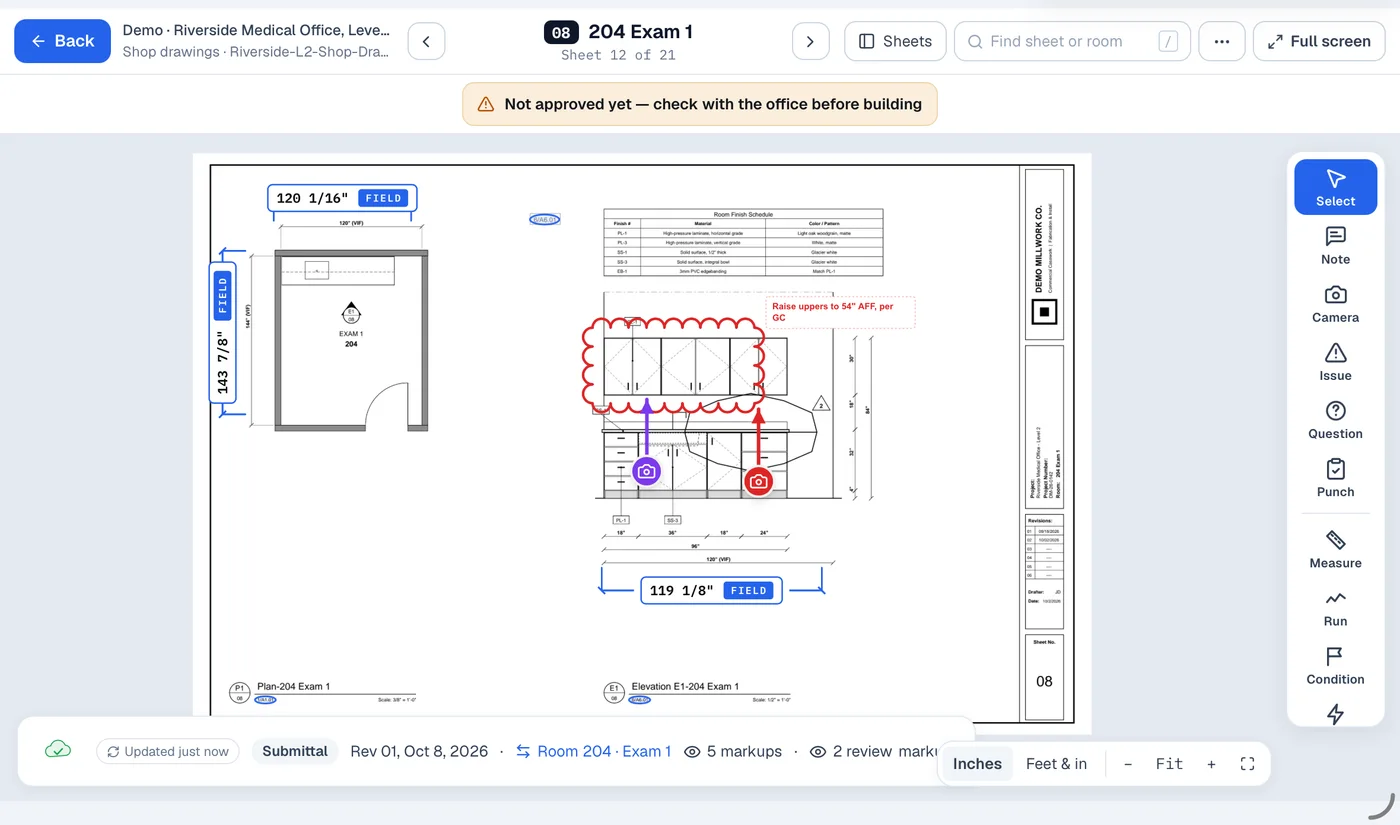
Every drawing, connected to the room it describes.
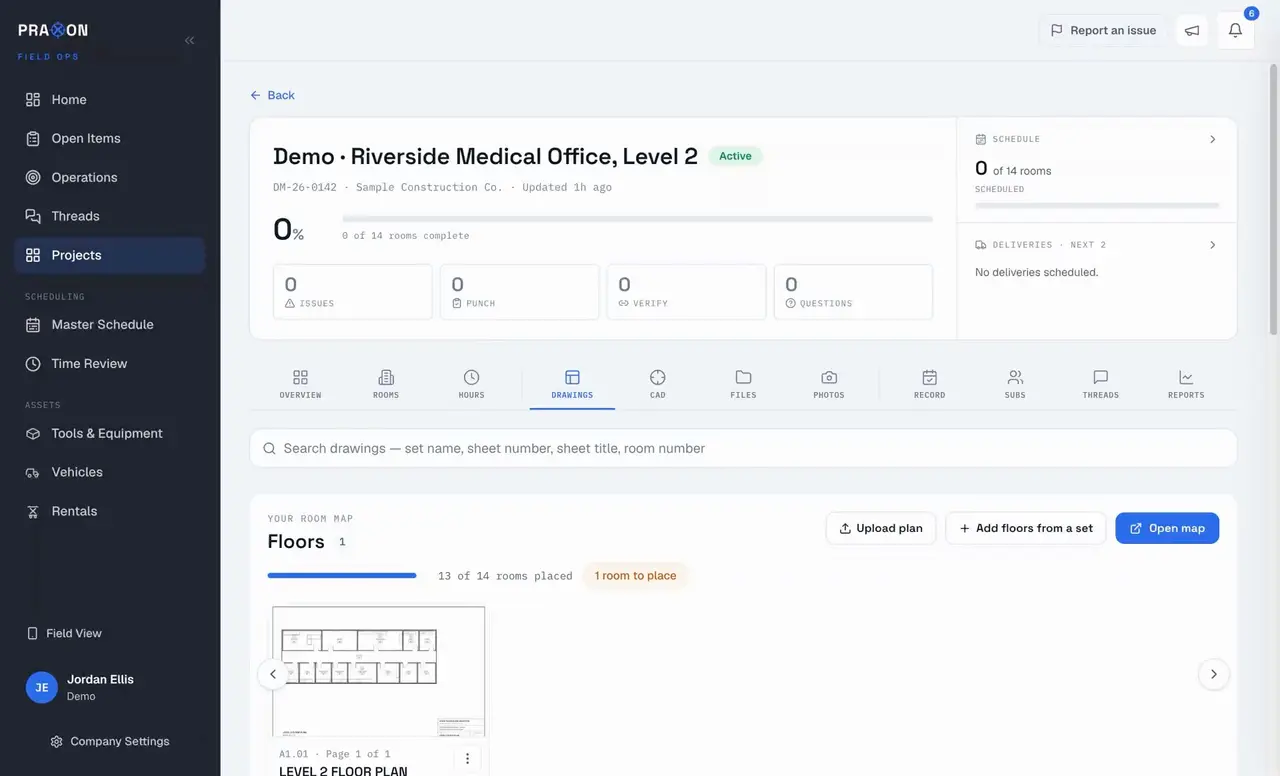
A millwork project carries several drawing sets at once: the architect's set, your submittal and shop drawings, and the work-order drawings engineering releases to the field. Praxon builds the floor plan from the architect's sheets, reads sheet numbers from each set, and links every sheet to the rooms on it. Open a room and its drawings are already there.
Architect's set, submittal and shop drawings, and work-order drawings, all linked to the same rooms. Open a room and its drawings are already there.
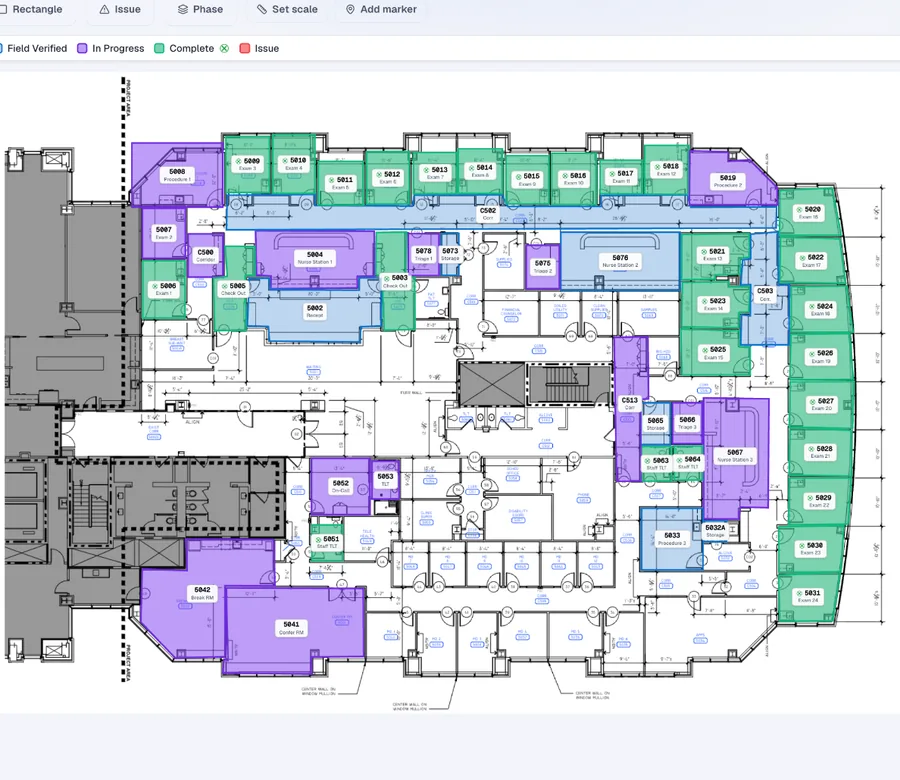
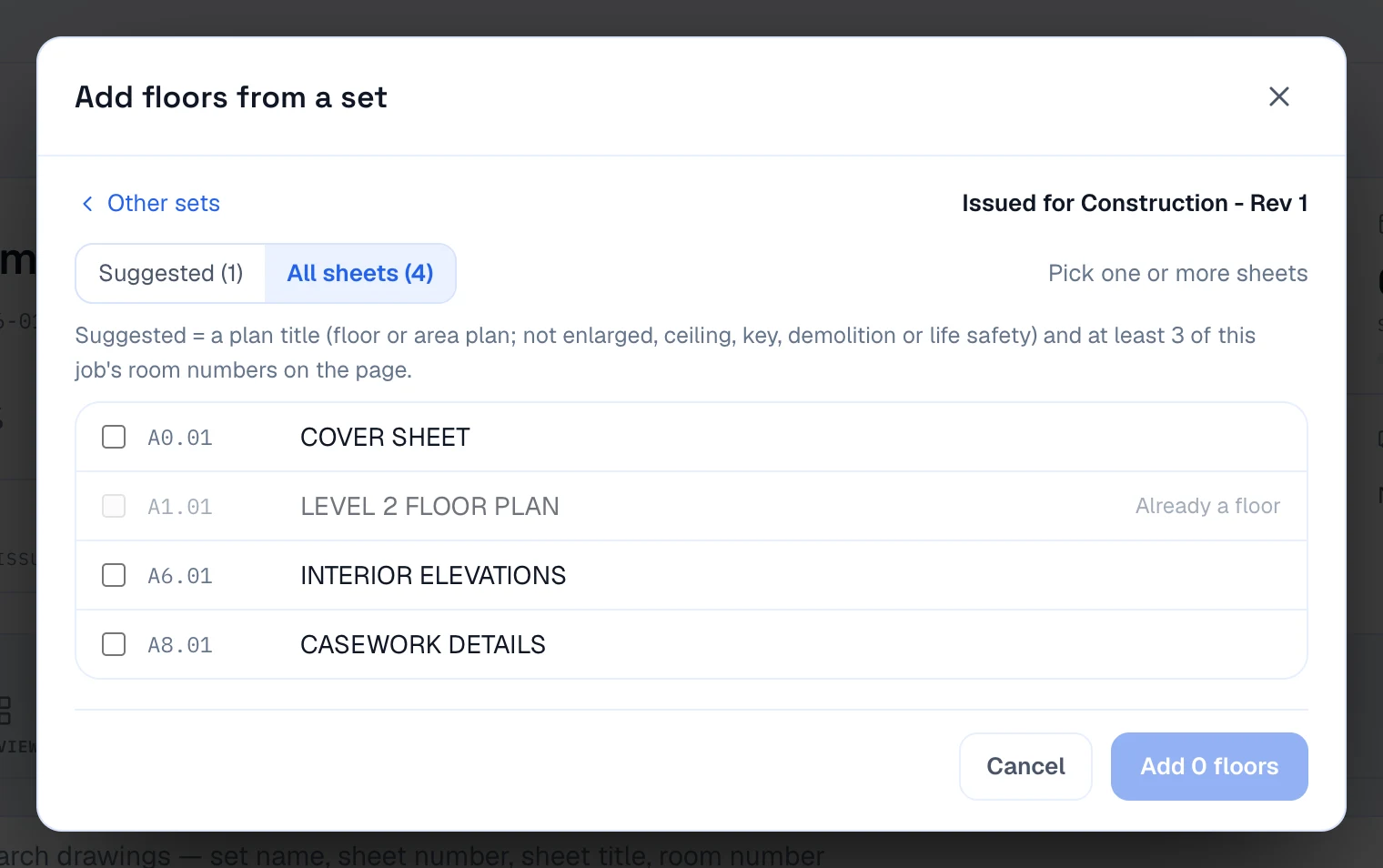
Floor plans come from the architect's sheets. Rooms are outlined from the room numbers on the plan.Floor plans and room outlines come from the architect's sheets.
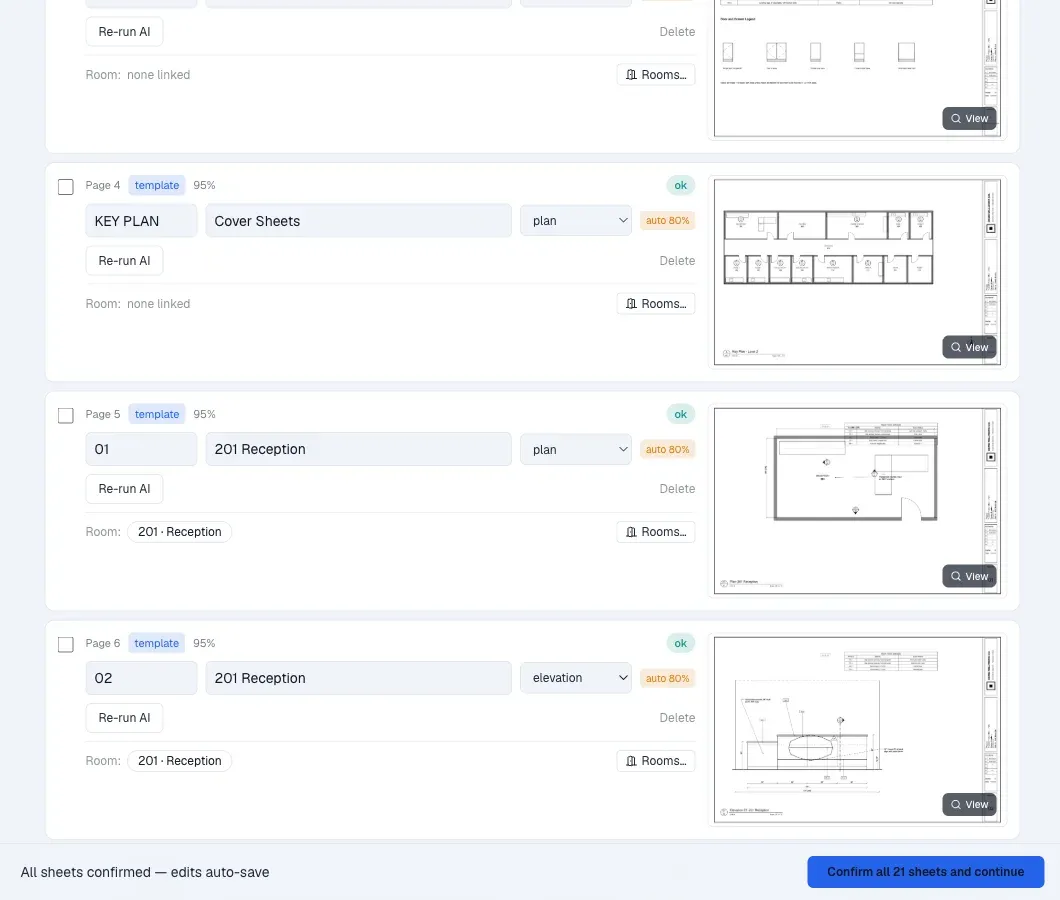
Sheet numbers are read from the title block, and each sheet is matched to its rooms. Anything uncertain waits for review.Sheet numbers read from the title block, matched to rooms.
Praxon pairs new sheets with the ones they replace and asks about the rest. The field sees nothing until the office updates it. Replaced sheets stay as issued.New sheets paired with old. The field updates only when the office confirms.
In the field, each room opens to the drawings engineering released, with the approved set one tap away.Each room opens to the released drawings in the field.
Get actual field conditions to engineering before release.
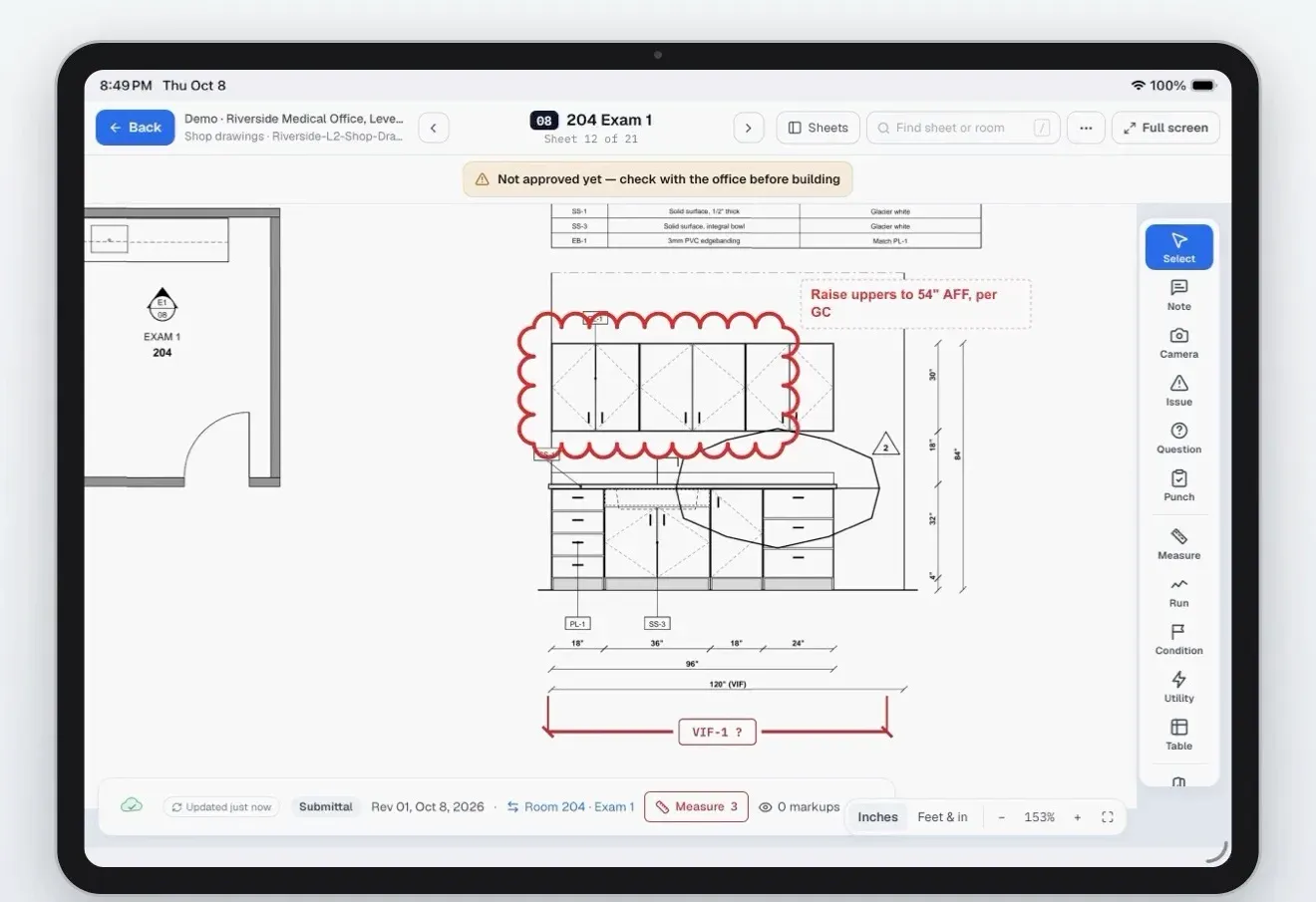
The office marks what needs to be verified. In Measure Mode, the installer walks each room and records dimensions against the drawing. Each measurement stays attached to its room and shows how it was taken, so engineering knows what was measured and what's still assumed.
The office marks what to verify. In Measure Mode, the installer records each dimension against the drawing, and it stays attached to the room.
The people doing the work need more than an assignment. They need the information behind it.
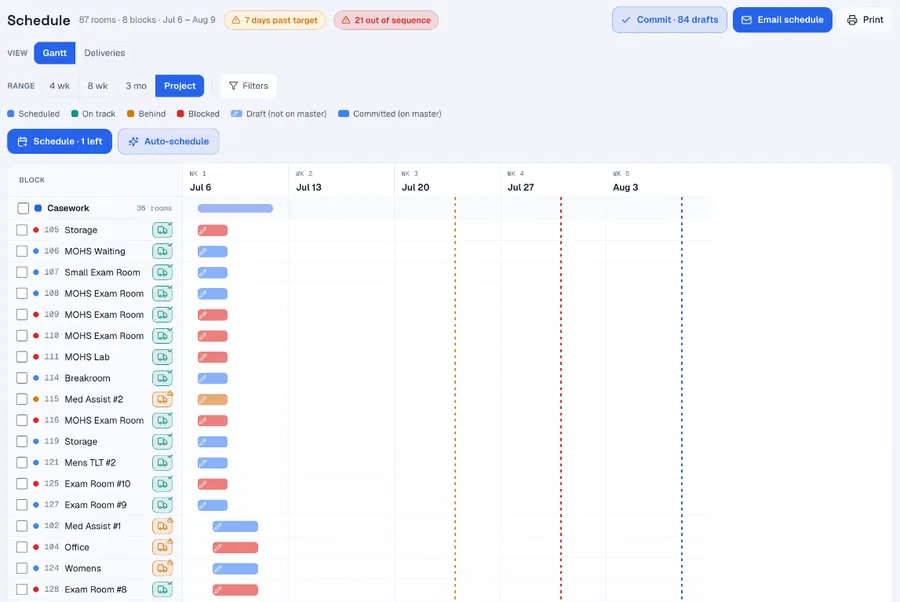
Project managers schedule people to rooms and scopes, and award scope to outside partners: drafting firms, engineering partners and installation subcontractors. Partners work from the same project record, with the drawings, measurements, decisions and revisions behind their assignment. Questions and clarifications stay in project threads tied to the job instead of scattered across email. Drafters work from the architectural drawings and field measurements, then submit their shop drawings through Praxon when they're ready for PM review.
Schedule people to rooms and scopes, and award scope to outside drafting firms, engineering partners and installation subcontractors. Partners work from the same drawings, measurements, decisions and revisions, with questions kept in project threads. Drafters submit their shop drawings through Praxon for PM review.
Deliveries sit against the installs they feed and can move with them. Tools and rentals are checked out, and vehicles are tracked.
Deliveries sit against the installs they feed and can move with them. Tools and rentals are checked out, and vehicles are tracked.
- Architectural drawings
- Scope details
- Field measurements
- Material & hardware decisions
- Revisions & clarifications
- Project threads with the PM and engineering
- Submit drawings for PM review
Capture the work as it happens, in the room where it happens.Capture the work in the room where it happens.
Installers see the office's markups on their sheets, with who made them and when. Photos, progress and time are recorded against the room. With no signal, work saves on the device and sends when they reconnect, so the office sees the job without making calls.
Installers see office markups on their sheets. Photos, progress and time are recorded against the room, and saved offline until there's signal.
Always know what you're clocked into.
Installers clock in to an activity and a room. The active clock-in stays on the iPhone lock screen, so it's visible every time they pick up the phone. Fewer forgotten activity changes means labor records that reflect the work actually done.
The active clock-in stays on the lock screen, so installers see it every time they pick up the phone, and labor records reflect the work actually done.
Resolve issues as they come up, and close out with a clear record.
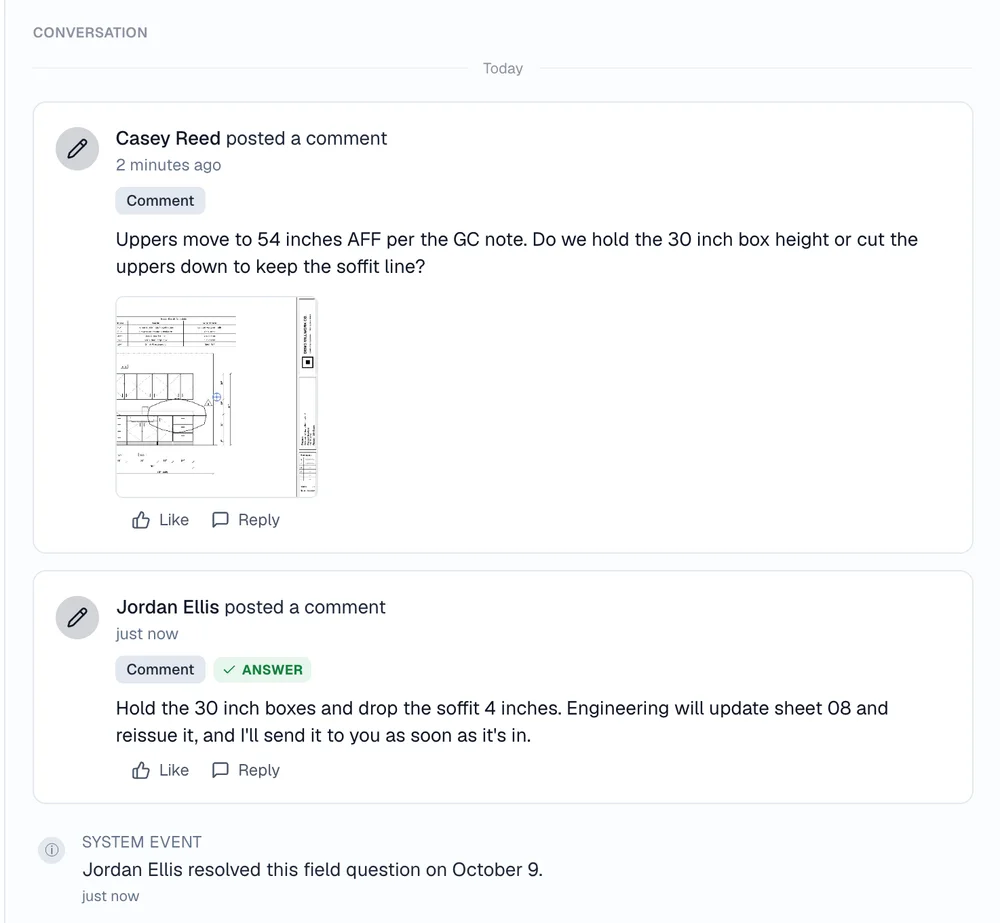
An issue found in the field is pinned to the drawing with a photo. The team works it out in the project thread, and the project manager sends the GC an issue report from Praxon with the room, sheet and photo for each issue. Schedules go to the GC the same way, built from the project's own information.
An issue found in the field is pinned with a photo, worked out in the project thread, then sent to the GC in an issue report from Praxon with the room, sheet and photo for each issue. Schedules go out the same way.
Punch follows the same path through closeout, and operations leaders see install hours and materials across every project, including material that isn't scheduled yet.
Every project conversation in one place.
Posts, photos from the phone, @mentions and status, sorted by project, so nothing gets lost in texts and email.
Built in commercial millwork, for the people who deliver the project.
Praxon started in architectural casework, healthcare and hospitality buildout, and custom feature work, where it's in pilot today. It's being designed for other specialty trades that verify, fabricate or procure, and install their own work, such as flooring, stone, metals and glass, ceilings, and doors and hardware.
In pilot with millwork shops today, and being designed for other specialty trades that fabricate and install their own work.
IN PILOT · COMMERCIAL MILLWORKProject managers
Drawings, field conditions, schedules, materials and open items in one place, with each issue tied to a room and an owner.Drawings, conditions, schedules, materials and open items in one place.
Operations leaders
Labor by activity and room, install hours against capacity, equipment in use, and where work is stuck across projects.Labor by activity and room, hours against capacity, equipment in use.
Installers
The right drawings, rooms and assignments on the device in hand, and a quick way to record measurements, photos, issues and time.The right drawings and assignments, and a quick way to record the work.
No software controls every condition on a jobsite. Praxon helps your team identify, document, coordinate and respond to them.
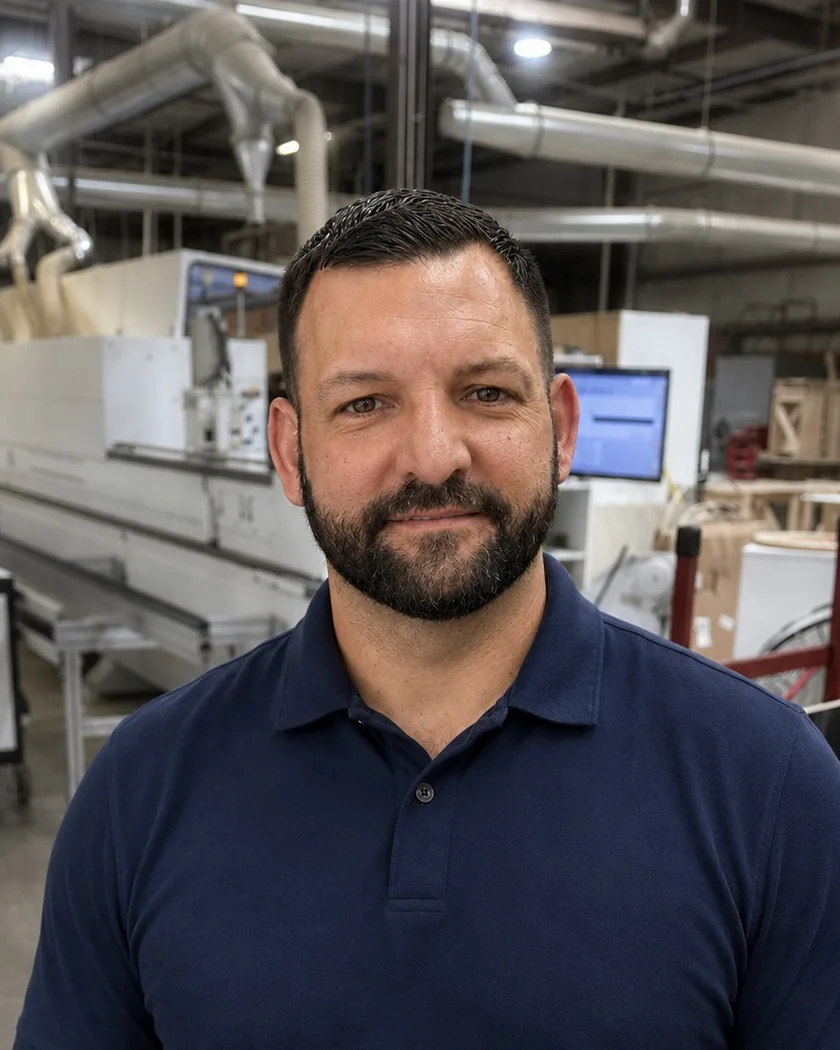
 Brian MilburnFounder · Greer, SC
Built around the problems of delivering millwork projects.
I spent nearly 30 years in commercial architectural millwork, leading estimating, drafting, engineering, procurement, manufacturing, project management and field installation. The hardest problems weren't inside any one department. They were in the handoffs between the shop, the office and the field. Praxon is built to make that work easier for the people doing it, without adding another administrative job to their day.
Nearly 30 years in commercial architectural millwork, from estimating to field installation. The hardest problems were in the handoffs between the shop, the office and the field. Praxon is built to make that work easier for the people doing it.
 PODCAST
Brian Milburn on Solving Millwork's Biggest Field Challenges
On Verify In Field: The Millwork Podcast, with Jacob Edmond of DuckWorks. Nearly 30 years in millwork and managing what happens after the product leaves the shop. 36 min.
ListenListen to the episode
PODCAST
Brian Milburn on Solving Millwork's Biggest Field Challenges
On Verify In Field: The Millwork Podcast, with Jacob Edmond of DuckWorks. Nearly 30 years in millwork and managing what happens after the product leaves the shop. 36 min.
ListenListen to the episode
Bring a project you're running now.
We'll walk through your drawing sets, rooms, schedule and install sequence, and show you where Praxon fits in your operation.
In pilot with specialty trade shops now.